Core Benefit
Local-first processing
Most compression, extraction, and conversion steps run in your browser first for faster response and stronger privacy.
zipfileopener.COM
zipfileopener.com gives you four high-frequency tools in one place: compress, extract, image-to-PDF, and text-to-PDF. Start in the browser for quick work, then move to the ExZip app for advanced batch and archive tasks.
Core Benefit
Most compression, extraction, and conversion steps run in your browser first for faster response and stronger privacy.
Product Flow
Upload, configure, and download are clearly separated, so you can process multiple files without losing pace.
One workspace.
ZIP and PDF tasks, side by side.
Product Capabilities
The full path is clear: upload, configure, finish, download. No unnecessary steps, no context switching, and no confusion across tools.
Each page is focused on one task, with an obvious order from input to export.
Sensitive files stay local by default. Password checks and reads run in-browser where possible.
Use the web for speed, then switch to the ExZip app for advanced formats and larger batches.
How It Works
Start by adding files, then adjust only the options you need.
Compression level, naming, and password controls appear at the right moment.
Status and download actions stay together, so completion is easy to verify.
Drop files or folders, or click once to select input.
Fine-tune compression, naming rules, and password options without extra clicks.
Progress, completion, and output are connected in one clear flow.
Workflow
Every stage is mapped to real user behavior, so progress is always traceable.
Drop files or folders directly and start immediately.
Drag or click inputChoose compression level, file naming, and password strategy by use case.
Fast / standard / max compressionEncrypted ZIP files trigger a dedicated password flow with clear retry feedback.
ZIP encryption workflowSwitch between image-to-PDF and text-to-PDF while keeping a consistent export logic.
Image / text to PDFAs soon as processing completes, downloads start with minimal delay.
Progress-to-delivery loopQuick Start
Pick the right entry point and move straight into a complete workspace.
Create ZIP archives with controllable levels, naming rules, and optional password protection.
Open ZIP files with password handling and clear progress. The ExZip app adds deeper support for more formats.
Merge multiple images into one PDF with sortable pages and adjustable paper settings.
Edit rich text with templates, then export polished PDFs in one continuous writing workflow.
Format Coverage
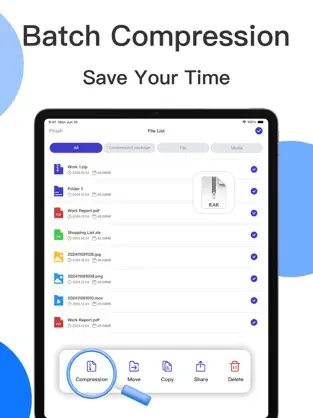
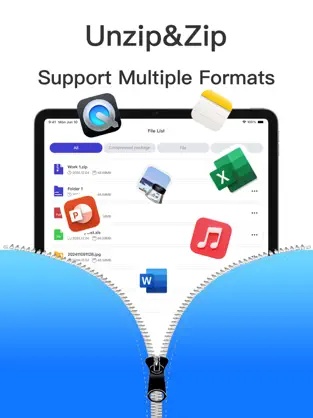
Download the ExZip iOS app for broader format coverage, stronger batch controls, and advanced encrypted file management.