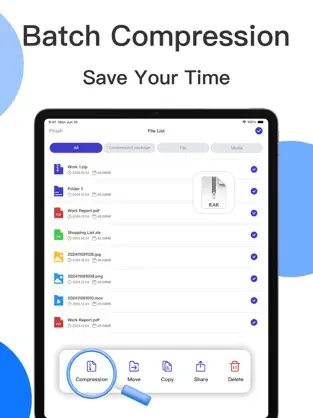
Add files
Input comes first, options second. Bring files in quickly before tuning details.
ZIP Compression & Extraction
Upload files, configure options, and download results in one workspace. Start quickly on the web, then use the ExZip app for bigger archive jobs and broader format compatibility.
Input comes first, options second. Bring files in quickly before tuning details.
Compression level, archive name, and password controls stay together for faster decisions.
Progress, completion, and download actions are connected to reduce repeat attempts.
Drop files or folders to start processing immediately.
Choose compression level, output name, and optional password protection.
Watch progress in real time and download as soon as the job completes.
Upload multiple files or folders by drag-and-drop or click selection
Best support: ZIP on web. Use ExZip app for more archive formats.
Core processing happens in-browser to reduce sensitive uploads.
Compression and extraction paths are optimized for frequent use.
Reliable ZIP workflows online, with app expansion for more formats.
Run quick jobs on web and continue advanced work in the app.
Set compression level, naming, and password as needed.
Output downloads immediately after processing completes.
Common questions about formats, passwords, performance, and app handoff.
The web tool is optimized for ZIP workflows. For additional formats and advanced extraction, use the ExZip app.
Password handling and file reads are performed locally in your browser where possible, so raw files are not sent for remote processing by default.
Yes. You can drag full folders and control compression level and output naming. For very large jobs, the ExZip app is recommended.
After loading the page, most core processing runs locally, so network dependence is significantly lower during execution.
Download ExZip on iOS for broader format support, advanced encryption options, and larger batch archive jobs.